Scene Map
Where stories, novels, books, and more are dreamed, created, planned, plotted, and written.
Awesome Planning, Plotting, Book Bibling Software for Novels, Stories, Books, and Writing.
Visually Create, Visually Outline/Reverse Outline your stories, novels, books, and more.
Step back. See your story from end to end.
Create, plan, plot, dream, anywhere.
Found in Storyfyre Pro, Storyfyre Plot, Storfyre Features
Plot/Plan Story
Scene Map
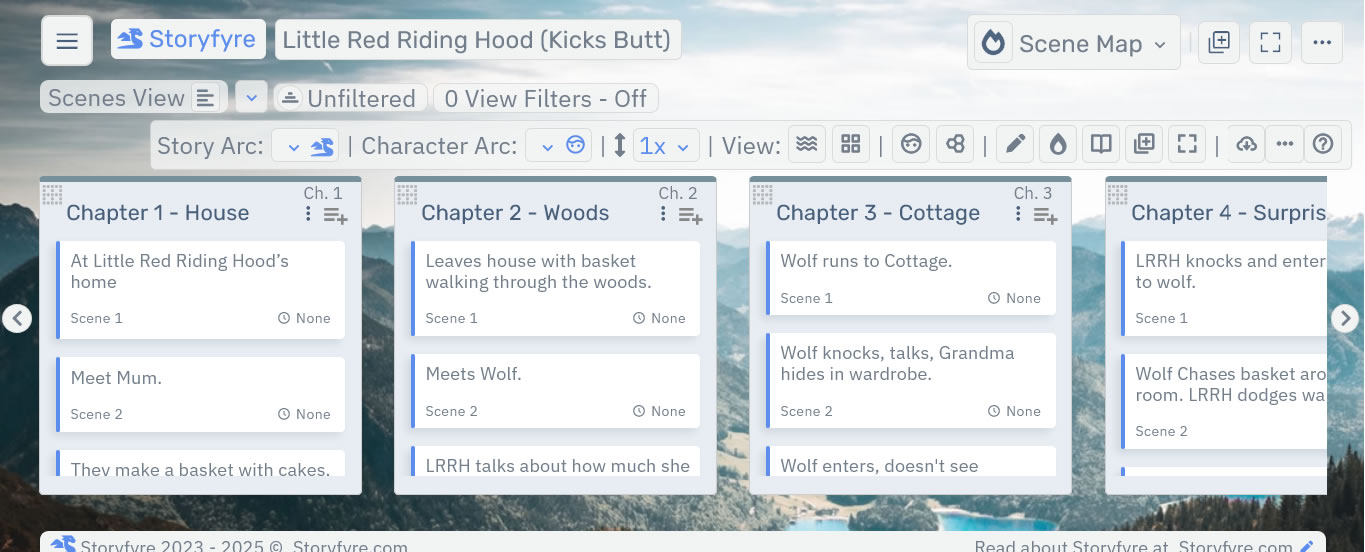
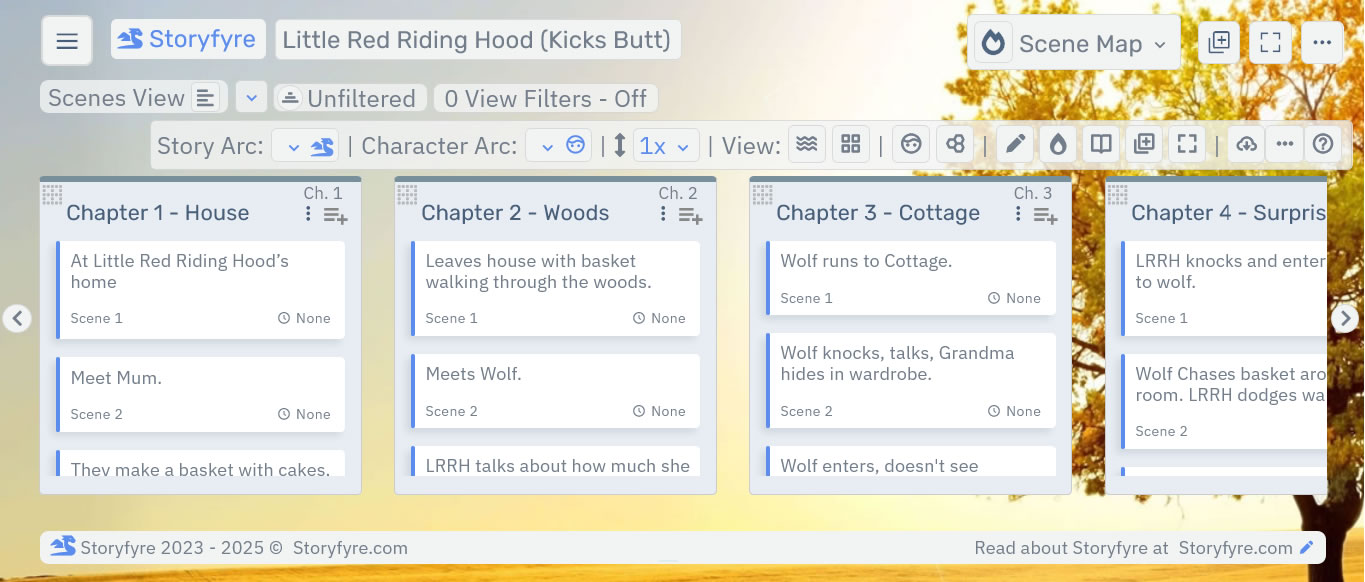
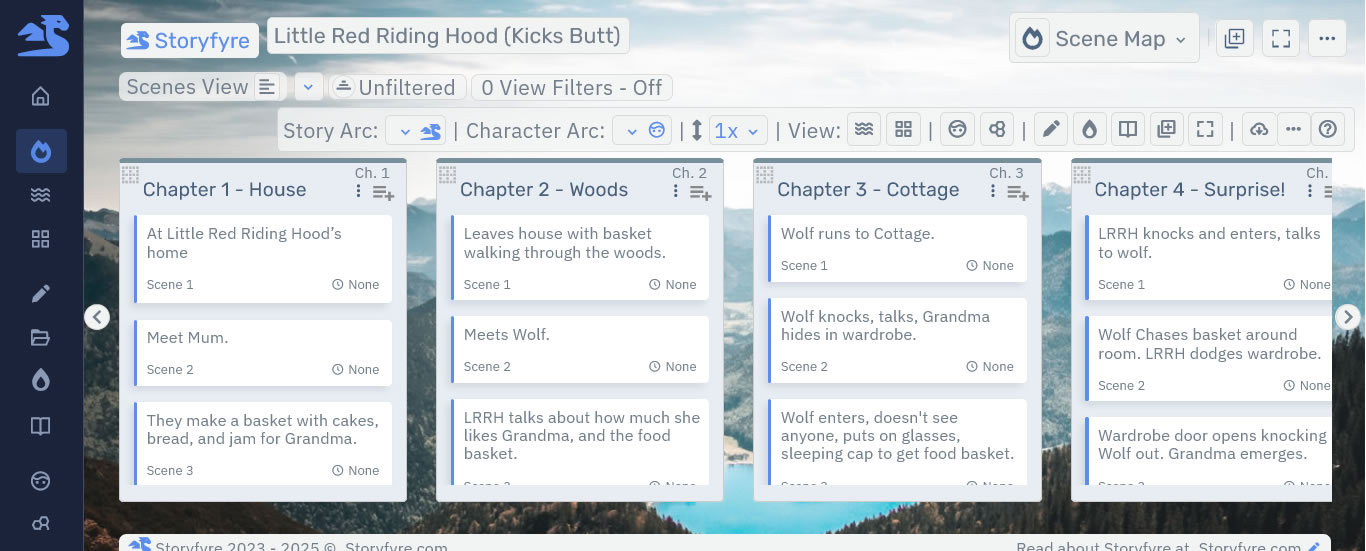
Describe/plan/plot/map your story to a great story, create a better story, write faster.
Map/plan/fix/plot/clean/outline your story. Refine your story.
Easily move, drag and drop, your story beats, chapters, scenes, wherever you want them, to tryout different story versions, and to create better stories. Or drag them back.
Works, as a discovery writer who writes first then plans/plots/fixes it after, or a plotter who plans/plots first then writes it after, or a writer who plans/plots during writing.
Describe your story to success, finish more stories.
Use with first drafts, revisions, rewrites, and all drafts between, even use it before beta reads and publishing to clean and get the story clear.
Works with any writing process.
Anything updated automatically updates everywhere.
Have a story that doesn't sound/work right, needs help, need to revise? Map/plan/plot it so you can see/write the story clearly. End to end.
Understand your story. Take away the stress of writing, make it fun again.
Recharge your story think time, get a clear well written story, and have fun doing it.
Turbocharge your story writing speed.
Scene Map.
Describe/Plan/Plot/Map your story visually with chapters, scenes, and story beats using the Scene Map.See your story from end to end.
Map/Plan/Describe Chapters.
Add Chapter title, synopsis, descriptions, Chapter story beat notes.Manage your story as it grows.
Map/Plan/Describe Scenes, Story Beats.
Add scene/story beat title, descriptions, synopsis, story beat notes.Manage your story as it changes.
Quick Edit/Revise.
Quick Edit/Revise chapter/scene/story beat synopsis, descriptions, beat notes.Customize For Your Own Writing Process.
Easily Customize the Storyfyre Software to your Writing Process.Easily Move/Drag/Drop Chapters, Scenes, Story Beats.
Scene Map changes update all the Storyfyre Software areas.Auto-Save.
Any changes are automatically saved to the cloud.Web-Based. Auto-Syncing.
Runs the same on any smart device, anywhere you are. Change devices? No problem, start right where you left off.Quickly Arrange Your Story.
Quickly arrange, move, or rearrange your story any way you want, to get the right story. Stack Scenes, Story Beats in Chapters.Maximize your Think Time, Productivity, and Writing Time.
Get your story clear before or after you write it. Write and Revise better Stories, Faster.Easily Download/Export to Popular Software.
Download/Export Quick View Data. Or download your Story/Novel's Scene Map Writing Template to Microsoft Word, Adobe PDF, or HTML.View/Create Story Arcs, Character Arcs, Subplots, View Filters, Story and Author Created Tags.
See what you need to see, what you need to work on, concentrate on. Filter Views by Story Arcs, Character Arcs, Characters, Settings, Tags, and more.Use the Write Icons in the Scene Map to Open the Writing App.
(Storyfyre Pro) - Click the Write Icon in each scene, story beat, chapter to quick open them in the writing app to write them.Want to instead start writing the first draft in the Write area?
Write first, from the focused Write Area, and Storyfyre will create/update the Scene Map for it.Scenes View (and Story Beats).
Current Default Scene Map View - Scenes and Story Beats View.Scene Map Chapters View, and Plotlines View (Coming Up).
Hoverable Chapters View, Scenes/Story Beats for small screens (Coming Up). Plotlines View - Plot Lines displayed, Scenes, Story Beats, Chapters, Arcs, Characters, Subplots, more (Coming Up).Display Fun, Motivating, Backgrounds behind your Scene Maps.
Easy on the eyes. Display Fun, Motivating, Backgrounds behind the Scene Map for motivation.Open/Close, Hide/Show Completed Chapters. Add Highlight Colors And More...
Open/Close, Hide/Show completed things. See different views of your story, chapters, scenes, story beats. Highlight Colors(more colors coming up), Icons(coming up), Filters and Search(coming up).Add Storyfyre Pro, Storyfyre Plot, Storyfyre, or Notefire to your current writing process.
Use Storyfyre Software with your current writing process and software.